
Email - Fast & Secure Mail
Edison SoftwareProductivity
4.524.55K Reviews
- Version
- 26.7.0
- Installs
- 10.00M
- Age Rating
- Everyone
Screenshots
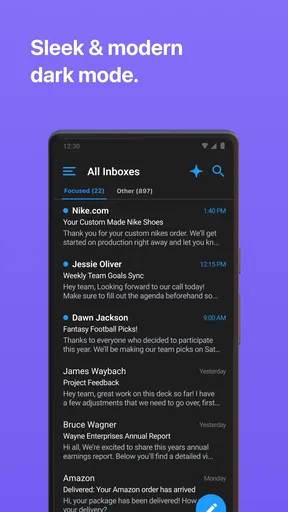
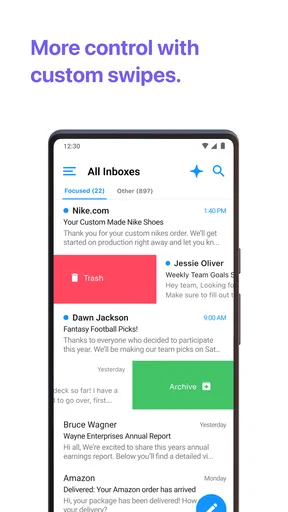

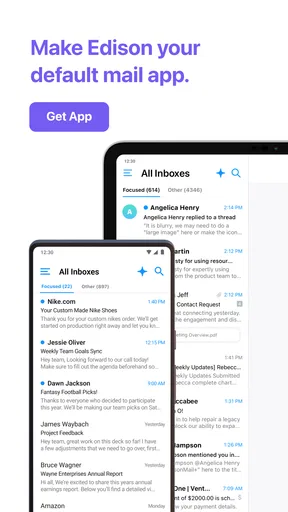
Our Review of Email - Fast & Secure Mail
 Analysis by Appyee
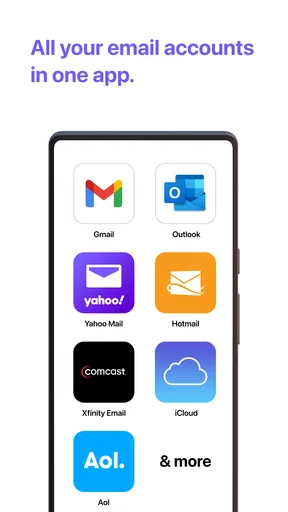
I started using Email - Fast & Secure Mail because I wanted one place for several inboxes without constantly jumping between separate mail apps. It is a productivity app from Edison Software, and its main appeal is straightforward: it works with Gmail, Hotmail, Yahoo Mail, AOL, and Outlook accounts in one interface. That makes it especially interesting for people who manage personal, work, school, or older email addresses side by side.
After spending time with it, my impression is that it aims for a lighter, more direct email routine rather than trying to become a complete office suite. I found it most useful when I needed to scan several inboxes quickly, respond to ordinary messages, and keep my daily communication in one place. It is free to install and rated for Everyone, although optional in-app purchases range from $0.99 to $129.99 per item, so I would check the purchase screen carefully before confirming anything.
What daily email feels like in this app
The first thing I noticed was how much the experience depends on the way I organize my accounts. Adding multiple addresses can simplify the morning inbox check, but it also creates the possibility of mixing personal and professional messages if I am not careful. I recommend giving each account a clear visual identity and checking the sender address before replying. That small habit matters more here than it would when every account lives in a completely separate application.
For quick reading, the app feels focused. I can move through incoming messages without treating every email as a task that needs a long workflow. That is where the “fast” part of the name makes the most sense to me: the value is less about a dramatic speed claim and more about reducing the number of places I need to open during a normal day.
The biggest practical advantage is consolidation, not complexity. If your email life consists of several mainstream accounts and you mainly read, reply, archive, and search, this approach can feel more efficient than maintaining a collection of separate clients.
There is a trade-off, though. A unified inbox can make email appear simpler while actually increasing the amount of information on screen. During a busy week, a single stream containing newsletters, receipts, family messages, and work requests can become harder to prioritize. I found that the app works best when I decide in advance which accounts should be checked together and which should remain separate in my attention.
Speed expectations: where it helps and where it does not
I would not choose this app because I expect every mailbox to behave identically or every action to happen instantly. Email performance depends on the account provider, network conditions, message size, and the amount of content being synchronized. The more realistic expectation is that the app gives me a common place to start, rather than eliminating every delay associated with email itself.
For a short inbox check, the workflow is efficient. I can review several accounts without reopening different services, and that saves mental time even when the underlying mail systems are doing their own work. This is particularly useful on a commute, between meetings, or while clearing routine messages before starting a larger task.
One useful habit is to separate “scan” time from “reply” time. I use the combined inbox to identify urgent messages, then open only the conversations that deserve a considered response. That prevents the convenience of multiple accounts from turning into constant context switching. It also makes the app feel faster because I am not asking it to become my entire task-management system.
People who expect advanced business automation may find the experience less satisfying. A dedicated workplace email client, a browser-based provider interface, or a full productivity suite may be better when the job involves elaborate rules, shared mailboxes, deep calendar coordination, or organization-wide controls. This app is more convincing as a personal email hub than as a replacement for every professional communication tool.
Heavy-use moments and managing a crowded inbox
The real test for any multi-account email app is not the quiet inbox. It is the morning when several accounts receive messages at once, a long conversation includes attachments, and I need to find one specific detail without losing track of everything else. In those moments, consolidation remains helpful, but it also exposes the limits of a single application: more accounts mean more notifications, more threads, and more chances to act on the wrong message.
I recommend starting with a small number of accounts rather than connecting every address immediately. Add the accounts that you genuinely check every day, learn how the combined view behaves, and then decide whether older or low-priority addresses belong there. This is a less obvious but important setup choice. The app can reduce clutter only if I do not use it as a dumping ground for every inbox I have ever created.
Another practical workflow is to process newsletters and automated receipts in batches. I avoid opening each one as soon as it arrives. Instead, I use the app for a quick triage pass and reserve detailed reading for a quieter moment. That keeps a heavy inbox from consuming attention throughout the day and makes the application feel more like a control panel than an endless stream.
Long threads require a little discipline. Before replying, I reread the latest message and confirm which account is active. When several addresses are combined, the risk is not only missing information; it is sending a perfectly written response from an inappropriate address. I consider this a user workflow issue rather than a reason to reject the app, but it is worth taking seriously if you manage sensitive work and personal communication together.
Attachments are another point where expectations should stay practical. Email clients are convenient for receiving and sending ordinary files, but they are not automatically a substitute for dedicated cloud storage or document collaboration. If I need to review a large collection of files, compare versions, or edit documents with others, I would move that work into a dedicated service instead of forcing the mail app to handle the entire process.
Reliability, interruptions, and recovering from mistakes
A useful email client has to be dependable during ordinary interruptions. Phones lose signal, apps are closed, and messages are sometimes sent before I have finished checking the recipient. My approach with this app is cautious: I treat it as a convenient access point to my accounts, not as the only place where important information exists.
For important messages, I verify the account, recipient, and attachment before sending. That three-step check is especially valuable when multiple providers are connected. If I am writing something sensitive or time-critical, I also avoid composing it in a hurry while moving between networks. The app may make access easier, but convenience should not replace a final review.
Recovery is mostly about keeping a clear mental model of where messages belong. When an email seems missing, I first check the account view rather than assuming it has disappeared. A combined inbox can hide the source of a message, particularly when similar subjects appear across different addresses. Looking at the individual account is a simple recovery technique that has saved me time.
I also prefer to leave important conversations in their original context until I am sure they have been handled. Archiving or clearing a message too quickly can make later follow-up harder, especially when I am processing several accounts at once. The app supports a fast style of email management, but fast does not have to mean careless. A slower second look is often worthwhile for invoices, appointments, travel details, and work requests.
Its strong public reception gives me some confidence that the basic concept has broad appeal: it holds an average rating of 4.5 from around 321 thousand ratings, with roughly 25 thousand written reviews. I read that as evidence of a mature, widely used email option rather than a guarantee that every account setup will feel perfect. Email providers differ, and personal expectations differ even more.
Device constraints and everyday resource expectations
The app supports Android devices running version 7.0 or newer, which makes it accessible to people using older phones as well as newer models. That broad compatibility is useful, but it does not mean every device will deliver the same experience. Older hardware may feel less comfortable when several accounts, lengthy conversations, and attachment-heavy messages are involved.
I would be realistic about storage and background activity. A mail application that handles multiple accounts naturally has more work to do than a client connected to one address. If your phone is already crowded with large apps or frequently reaches low-storage warnings, keeping the device tidy can make the overall experience less frustrating. Removing old downloads and clearing unrelated clutter is often more effective than blaming the mail client for every slowdown.
On a modest device, I would begin with one or two accounts and avoid turning on every possible notification. Notifications are useful for urgent communication, but alerts from several inboxes can become a constant drain on attention. I prefer notifications for accounts that genuinely require quick responses, while checking lower-priority addresses manually.
People with very limited data plans should also think about their habits. Reading text messages is different from repeatedly opening attachment-heavy threads or refreshing multiple accounts while away from Wi-Fi. I would use the app for essential checks on mobile data and postpone large-file work until a more suitable connection is available. That is not a criticism unique to this application; it is a sensible way to use any multi-account email client.
The current version is 26.7.0, and the app has been available since February 15, 2017. That history matters because I am more comfortable recommending it as an established option than as an experimental newcomer. Still, an older Android phone can have its own limitations, so I would update the operating system where possible and keep expectations reasonable if the device is already struggling with everyday tasks.
Who will get the most from it?
I think this app is a strong fit for someone with a Gmail address, a Hotmail or Outlook account, and perhaps a Yahoo or AOL inbox who wants one consistent starting point. It is also useful for people who separate shopping, subscriptions, family communication, and work into different addresses but still want to review them in one place.
A realistic example is a freelancer who checks a personal Gmail account, an Outlook address for clients, and an older Yahoo account used for registrations. In the morning, that person can scan all three, identify client messages, and postpone promotional mail without opening three separate apps. Later, they can return to the client account for focused replies. The gain is not a magical increase in internet speed; it is a shorter route from “I should check email” to “I know what needs attention.”
It can also suit families who share responsibility for several ordinary accounts, provided each person is careful about account selection and privacy. I would not recommend casually connecting accounts on a shared phone without thinking about who can see notifications and message previews. Convenience is valuable, but email often contains information that should remain personal.
On the other hand, I would look elsewhere if your main requirement is deep collaboration, enterprise administration, or a highly specialized workflow. Someone who lives inside one provider’s advanced ecosystem may prefer that provider’s own app because it usually offers the most direct access to its unique tools. Likewise, users who want email, calendar, notes, files, and team chat tightly integrated may be happier with a broader productivity platform.
I would also skip it if you dislike combined inboxes or prefer strict separation between identities. Some people feel calmer when personal and professional communication never share a screen. For them, using the official app for each provider may involve more tapping but provide clearer boundaries and fewer chances of sending from the wrong address.
Value, purchases, and the overall trade-off
The app is free, which makes it easy to try without committing money upfront. Optional purchases are listed from $0.99 to $129.99 per item, so I would not assume that every extra capability is included simply because the basic download costs nothing. Before buying anything, I would read the exact description and consider whether the improvement solves a real problem in my own workflow.
For me, the value comes from reducing friction between accounts. If I regularly manage several supported providers, that convenience can justify keeping the app installed. If I use only one inbox and already like its official application, the difference may be too small to matter. In that situation, adding another layer could create more settings and notifications without delivering a meaningful benefit.
The age rating of Everyone makes it broadly approachable, but suitability still depends on how carefully the phone and accounts are managed. A simple interface does not remove the need for sensible privacy habits, strong account security, and attention to the active sender address. Those responsibilities remain with me regardless of which email client I choose.
My performance verdict
After weighing speed expectations, busy-inbox behavior, reliability, and device constraints, I see Email - Fast & Secure Mail as a practical multi-account organizer rather than a universal answer to email. It is at its best when I need one place to inspect several mainstream accounts and handle routine communication without opening separate apps.
Its perceived speed comes from a cleaner routine: fewer app switches, quicker triage, and a consistent starting point. Its weaknesses appear when the inbox becomes crowded, the phone is older, or the user expects advanced provider-specific tools. Those are important limitations, but they do not cancel out the central benefit.
With over 10 million installs, it has clearly reached a large audience, and my recommendation reflects that broad usefulness rather than the idea that it suits everyone. I would suggest trying it first with the accounts you check most often, limiting notifications, and keeping work and personal replies carefully separated. For a person who wants a free, established productivity app for managing Gmail, Hotmail, Yahoo Mail, AOL, and Outlook accounts together, Email - Fast & Secure Mail is a sensible choice. For a single-account user or someone needing deep professional collaboration, the official provider app or a more specialized platform may be the better fit.
Verdict
Strengths of Email - Fast & Secure Mail
- Clean interface makes inbox navigation quick and straightforward.
- Supports multiple email accounts in one convenient mailbox.
- Fast search helps locate messages, contacts, and attachments easily.
- Push notifications can alert you promptly about incoming messages.
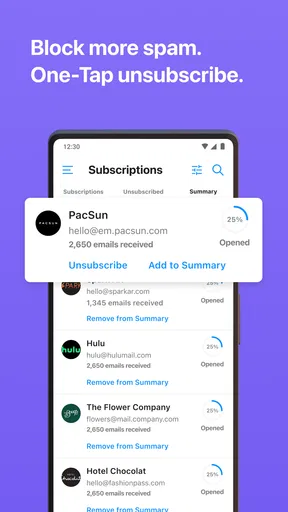
- Useful spam filtering helps keep unwanted mail out of the inbox.
Limitations of Email - Fast & Secure Mail
- Some advanced features may require a premium subscription.
- Advertising may appear in the free version of the app.
- Battery use can increase when frequent background syncing is enabled.
- Large attachments may be limited by provider or account restrictions.
- Privacy details may vary depending on the email service and permissions used.
Similar Picks in This Category
View All
Google Calendar
Google LLC4.6

Google Drive
Google LLC4.3

Google Assistant
Google LLC3.9

Microsoft OneDrive
Microsoft Corporation4.6

Samsung Calendar
Samsung Electronics Co., Ltd.4.1

Microsoft OneNote: Save Notes
Microsoft Corporation4.6
Frequently Asked Questions
What is Email - Fast & Secure Mail, and what can I use it for?
Email - Fast & Secure Mail is a mobile email client designed to help you manage messages from one or more accounts in a single application. After signing in, you can read, send, reply to, forward, delete, and organize emails, while also using familiar tools such as search, folders, notifications, and attachment support. Its usefulness depends on the email providers you connect to and the permissions required on your device.
Is Email - Fast & Secure Mail really secure and private?
The app presents itself as a fast and secure way to access email, but users should understand that security also depends on the email provider, account settings, and the network being used. Look for encrypted connections, avoid entering credentials on suspicious screens, and enable two-factor authentication with your email provider whenever possible. Before downloading, review the app’s privacy policy and the data it may collect or share.
Which email accounts are compatible with the application?
Compatibility can vary depending on the version of the app and the services supported by its login system. Many email clients work with popular providers and may also support standard IMAP, POP, or Exchange configurations, but this should not be assumed for every account. If you use a work, school, or custom-domain address, confirm that the necessary server settings and authentication methods are supported.
Does Email - Fast & Secure Mail require payment or include advertisements?
The basic download may be free, but the final cost and available features can differ between Android and iOS versions. Some editions of email applications include advertising, optional subscriptions, or in-app purchases for removing ads, adding advanced tools, or unlocking extra account features. Check the store listing carefully before installing, including trial terms, renewal conditions, and whether essential email functions are available without payment.
What permissions and device access does Email - Fast & Secure Mail need?
An email application normally needs internet access to synchronize messages and may request permission to send notifications, download attachments, use device storage, or access contacts for address suggestions. These permissions can improve convenience, but they should still be reviewed before approval. If a request seems unrelated to email management, deny it where possible and check whether the app continues working normally without that access.
